
In the $9 trial
A starter kit with a microcontroller, sensors, LEDs, and a breadboard, for one introductory class.
Live online engineering for ages 8–15
Weekly live classes turn a kit of parts into projects your child can play with. With an engineer’s guidance, they build, code, test, and explore AI—one step at a time.
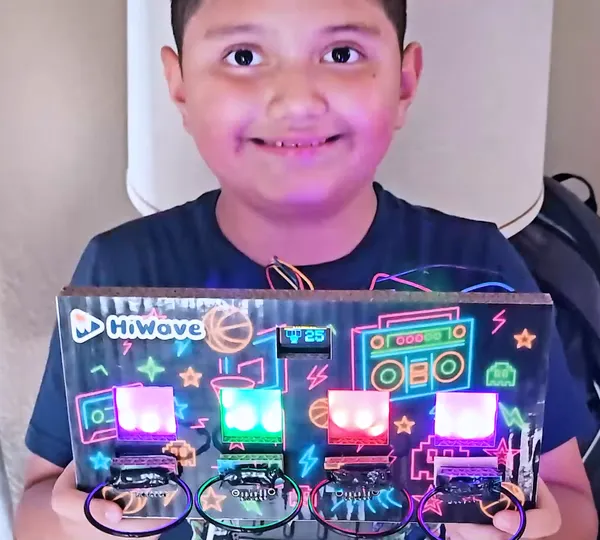
Select a logo to read the story.
Start with Hoops, continue to Mini TV, and keep exploring as new projects are released.
Project 1 · First build
Build a playable hoops game. Wire sensors, program the game logic, and make the lights and sounds your own.
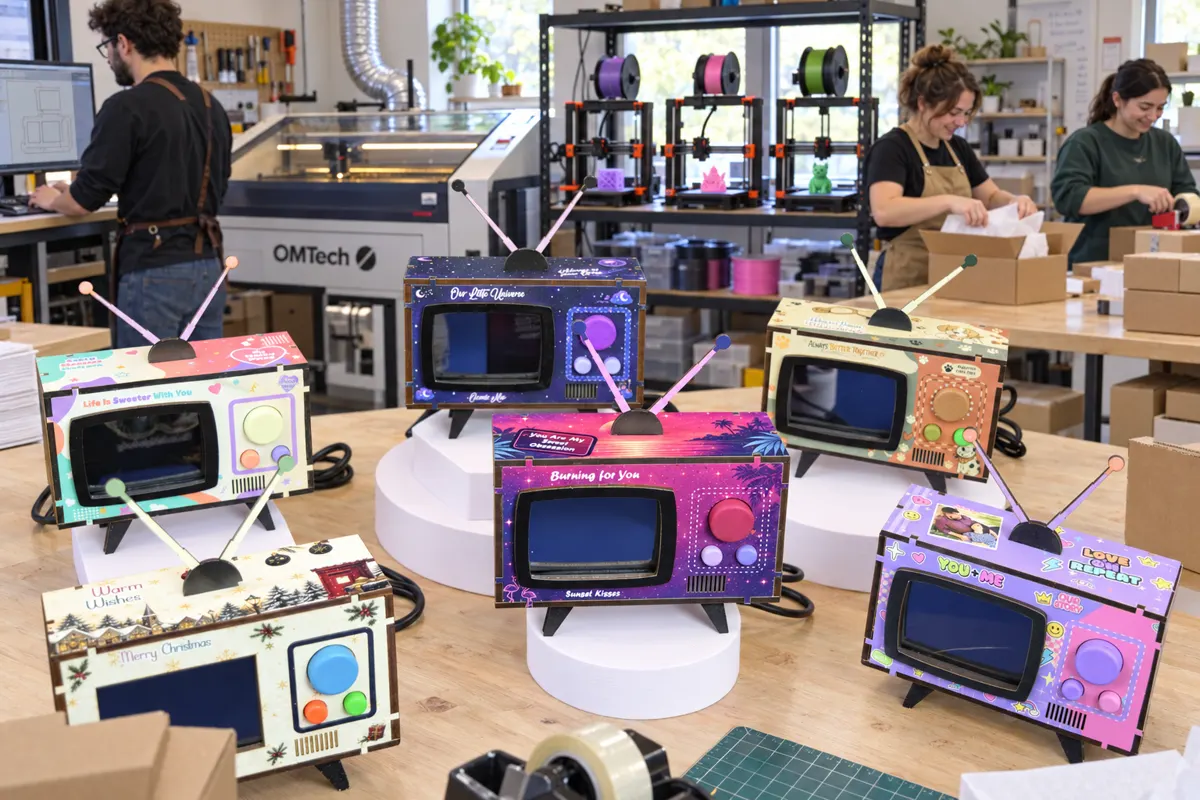
Project 2 · Next in the learning path
Next, build a Mini TV and continue learning through a new hands-on project.
Coming next · In development
We’re developing more builds for curious makers. See what’s available when you choose your class.
The trial is a single introductory class. It does not complete either project.
Ricky walks through the Hoops project class by class, from the first blinking LED to championship day, and shows what comes in the kit.
Every plan includes all six
One hour a week, taught live by a University of Michigan–trained engineer with 15+ years on projects involving Apple, Samsung, and Texas Instruments. Game-based and Montessori-inspired: kids wire sensors, program LEDs, build games, and write logic that mimics how AI “thinks.”
The parts for your child’s current build arrive pre-sorted and ready to build. Your child keeps everything they make, and we handle the prep.
Built into the class code editor, Hey Wave explains errors in kid-friendly words and suggests what to check next. It guides their thinking; it never does the work for them.
Live drop-in time with a real engineer for debugging, deeper questions, and “why does this work?” follow-ups. Extra support, no extra charge.
Classes are recorded so kids can rewatch and reinforce concepts, parents can peek in, and families can catch up on their own schedule.
Missed a week? Watch the replay, then bring questions to the office hour so your child stays on track instead of falling behind.
Included with enrollment
A personalized highlight reel of your child’s build journey, ready to share with family.
See real examplesA live demo where kids present their final build to family and peers. The moment they realize they actually did it.
A project gives them something to build. A teacher helps them understand it. Practice helps them keep going.
Real kids, real fun
Highlight videos from real HiWave classes: Victoria plays AI games with hands, face, and moves, and Enmerson shows off finished builds.
Member families receive a highlight video like these at graduation.
Your child joins a live engineer and other young makers to build, ask questions, and work through the moments when something doesn’t work yet.
Ricky works through each step up close at the bench, so kids can see exactly what to connect next and why.
A typical learning flow
Discover. The class starts with what you’re building today and why it works, shown live on screen.
Build. Step by step, kids connect the next part or write the next bit of code while the instructor shows how.
Test. When something doesn’t light up, that’s part of the lesson: check, change one thing, and try again.
Make it yours. Change a color, a sound, or a rule of the game, then explain what changed and why.
A typical flow, not a fixed timetable. Clips are from a real Hoops build.
Scan a QR code with a phone and it becomes a second camera over the build, so the instructor can see the wiring. Video only, no microphone. Classes work without it.
Classes are small-group lessons, not one-on-one tutoring. Members can bring extra questions to the weekly office hour.
Discover with HiWave
Surprising experiments. Real explanations. More reasons to stay curious. Explore examples of the experiments kids can encounter in our classes—and watch how we turn “How did that happen?” into a discovery.
Pick an experiment
How can air pressure hold water inside an upside-down glass?
Can a simple card hold water inside an upside-down glass? Watch the demonstration and explore the role of air pressure.
What makes the same egg float in one glass and sink in another?
Can you change whether an egg floats? Compare the results and investigate what makes a difference.
Two glasses of water, one with something stirred in. Will the egg float or sink in that one?
How can a balloon move paper without touching it?
Can a balloon pick up paper without touching it? Explore static electricity in action.
Ask questions, explore ideas, and discover what happens next. Join our free weekly science class in Spanish, or explore our kit-based engineering program for guided builds and ongoing learning.
Made in Texas
In our workshop in Richardson, Texas, we laser-cut boards, print and paint buttons, and engrave panels for the kits. Making the parts ourselves means kits built around each project, not around what a supplier has on the shelf.
Designs and details made for each project and the kids building it.
When a project changes, we change the parts to match.
What we learn from each group shapes the next set of kits.
Parts arrive pre-soldered, so no soldering tools are needed. Select a part to see what it does.
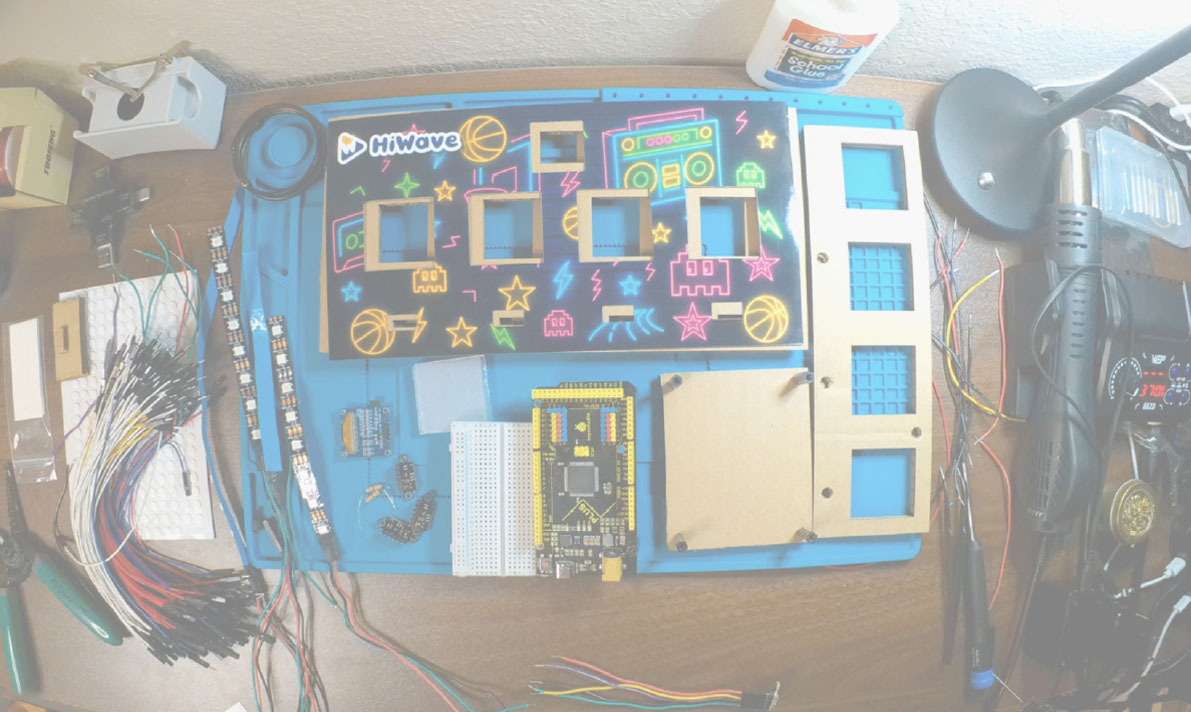
Parts in the kit
Pick a trial date when you book. Dates start at least 7 days out so the kit can arrive first.
Kits typically ship within 3–7 business days, to U.S. addresses.
Open class from your parent portal. The Join button appears 15 minutes before it starts.
A starter kit with a microcontroller, sensors, LEDs, and a breadboard, for one introductory class.
The materials for your child’s current project, such as the full Hoops build.
Follow what your child built, what they practiced, and the milestones along the way—with updates you can see without having to guess.
You decide what’s shared. Highlight pages go to your family, and the public Maker Portfolio stays off unless you turn it on.
Sent by email to member families
Earned by attending classes
A printable certificate is issued when the course ends.
At graduation, families get a highlight video of their child’s build, on a page they can choose to share.
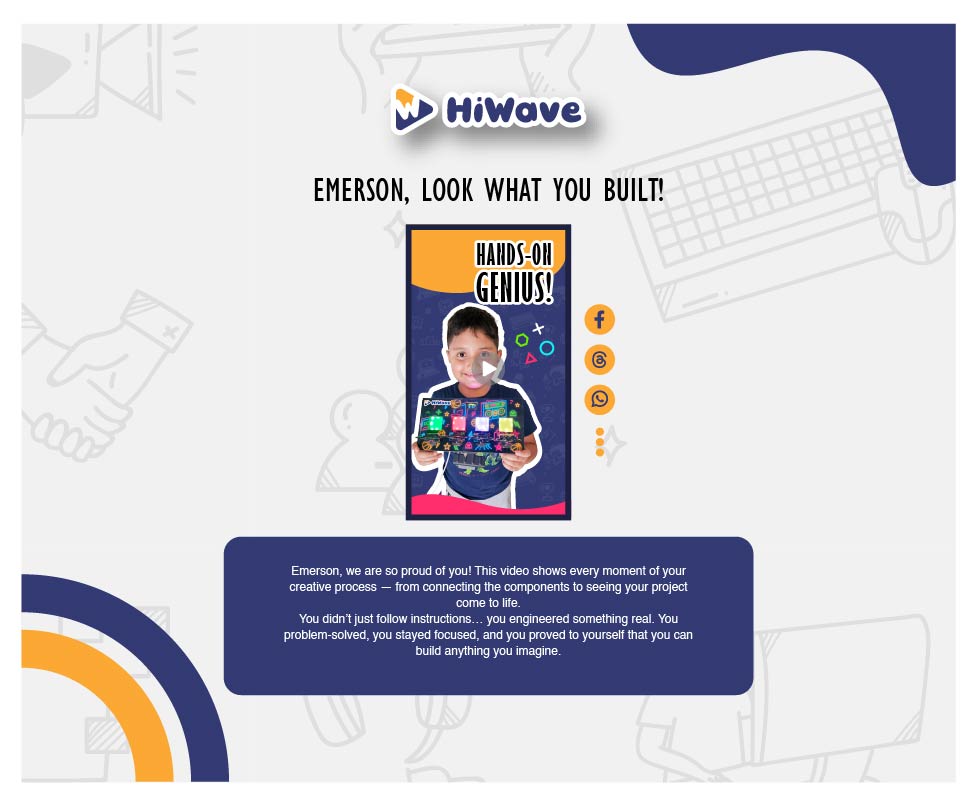
Sample views based on the parent portal. Not a real child’s record.
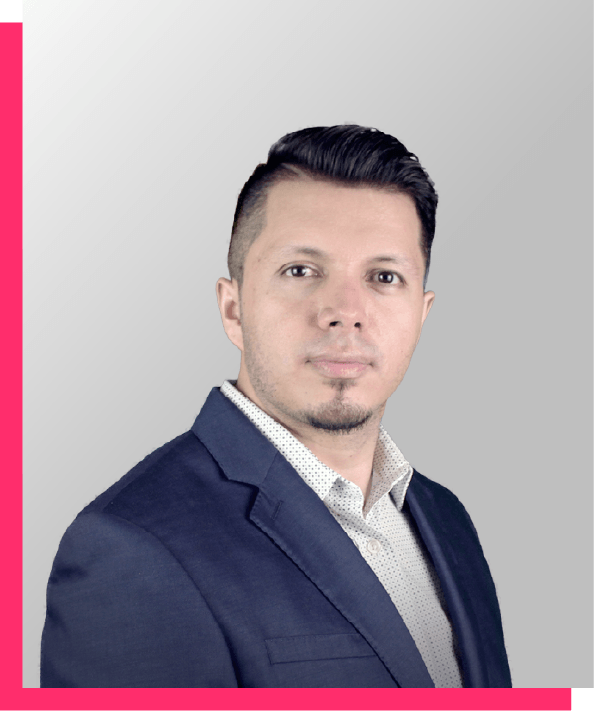
Your instructor
Ricky holds a master’s degree in Electrical Engineering and Entrepreneurship from the University of Michigan and brings 15+ years of engineering experience, including contributions to projects involving Apple, Samsung, and Texas Instruments.
In class, he breaks each build into small steps, asks questions before giving answers, and treats a bug as something to investigate, not a failure.
Ricky’s professional profile (opens in a new tab)$9 one-time payment
A 60-minute live introductory class and starter kit, so your child can try hands-on engineering before you choose a membership.
Try a class for $9The trial does not start a membership. Trial and refund terms
Every paid plan includes the same membership. Longer plans lower the monthly cost.
| Plan | You pay | Works out to |
|---|---|---|
| Monthly | $250 every month | $250/month |
| 6 months | $1,200 every 6 months | $200/month |
| 12 months | $2,100 every 12 months | $175/month |
Plans renew automatically until you cancel. Cancel any time from your account; cancellation takes effect at the end of the paid term, and a term that has started is not refunded. Sales tax is added where required. Kits ship within the contiguous U.S. Membership terms
Explore membership & class timesNeed help with the cost? Explore scholarships.
Free community class
Join our free weekly live science class, open to everyone. Explore hands-on activities using materials you can find at home or buy online. No kit is shipped; families gather their own supplies.
This is separate from the $9 engineering trial and from membership. You don’t need either to join.
Next free class
Ask us and we’ll let you know when the next class is scheduled.
Have a question we didn’t answer?
Email our teamYes. HiWave Makers is designed for ages 8–15, including kids who have never coded or built a circuit. Instruction walks them through each build.
Hoops is the first project, and Mini TV is the second hands-on build in the learning path. Class dates for Mini TV are shown when booking opens. The $9 trial is an introductory class and does not complete either project.
The free Spanish class explores science using supplies your family gathers. The $9 engineering trial includes a starter electronics kit. Paid membership provides the ongoing engineering program and member support.
A laptop or desktop computer with internet access. Classes and coding run in the browser; uploading code to the board needs Chrome or Edge on a computer. Phones and tablets can’t run the code editor. A phone is optional, as a project camera.
You don’t need to know coding. Plan to help your child set up a workspace and the computer before the first class; the instructor guides the build from there. Members can bring questions to the weekly office hour.
You choose a trial date when you book. Dates start at least 7 days out so the kit can arrive first, and kits typically ship within 3–7 business days. Membership class times are shown when you enroll.
Watch the replay in your parent portal, then bring questions to the weekly engineer office hour for wiring, coding, or catching up.
Parents provide consent before a child joins a recorded class. Replays are available to enrolled families. Highlight videos are shared with that child’s family. Public Maker Portfolios are off by default; parents can enable a first-name-only page and make it private again later. The camera-based AI activities do not stream or save what the camera sees.
Kits use low-voltage electronics and pre-soldered parts designed for ages 8–15. Follow the setup and handling instructions.
Yes. Memberships renew automatically until you cancel, and you can cancel from the Billing page or by emailing us. Cancellation takes effect at the end of the paid term; a billing period that has started is not refunded. You can also ask to pause for up to two months a year.
The Project Completion Guarantee lets eligible students retake the classes they need at no charge. Your child must attend every class and 3 support sessions, and you must claim within 30 days after the group ends.
Scholarships can cover 10%–100% of the cost. The application is available in English and Spanish, takes about 5 minutes, and requires no documents. Expect a response within 3 business days.
From the blog
Practical reading for parents on learning, technology, and family life.
 Lichen Air Quality Indicator Kids Can SurveyA lichen air quality indicator kids can actually read: a grid quadrat, three growth forms, and a transect that records decades of your own street's air.Read more
 Tree Rings Dendrochronology Kids Can Actually DoTree rings dendrochronology kids can really run: sand a log end, measure every ring in millimetres, and match the narrow ones to dry years on the record.Read more
 Berlese Funnel Experiment Kids Can Build SafelyA Berlese funnel experiment kids can run with a cut bottle and an LED lamp: extract and count the leaf-litter animals, then release every one of them.Read more
Follow along
Builds, demos, and classroom moments, straight from our maker community.


HiWave Makers
We usually reply within 24 hours